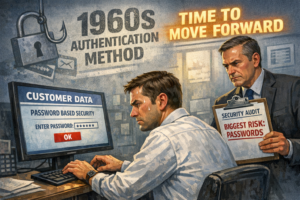
Your help desk manager probably knows the number. A senior IT professional once described their password reset load this way: a quarter of our tickets, every single day, for a problem that should not exist. The frustrating part is not the volume. It is that every one of those tickets represents a security vulnerability in addition to a cost center.
Password resets are not a nuisance metric. They are a financial liability, a productivity tax on your operations staff, and a recurring signal that your authentication architecture is working against you. This post does the math, shows where the real costs hide, and explains why the organizations that have eliminated passwords have eliminated this entire cost category.
What Does a Password Reset Actually Cost?
Industry benchmarks put the fully loaded cost of a single help desk ticket between $15 and $70, depending on the organization’s cost structure, the complexity of the issue, and whether the ticket is resolved on first contact. Gartner research has placed password reset costs specifically in the range of $70 per ticket when fully loaded costs are included.
For this analysis, we will use a conservative figure of $50 per reset. That number accounts for:
- Help desk staff time. The average password reset takes 10 to 20 minutes of technician time when you include the identity verification step, the actual reset, confirmation with the user, and ticket documentation.
- User downtime. The employee waiting for the reset is not processing loans, not communicating with borrowers, and not working. For a loan officer, that dead time has a direct revenue cost.
- Overhead and tooling. Your help desk platform, telephony, and support infrastructure are allocated across every ticket. Password resets are a large enough share of total volume to carry meaningful overhead.
- Security review time. In regulated environments, identity verification for password resets requires a step that goes beyond simply confirming a name and employee ID. Any reset that bypasses this step creates a social engineering risk. Any reset that enforces it takes longer.
How to Calculate Your Organization’s Annual Password Reset Cost
The formula is straightforward. What varies is the inputs.
| Annual Password Reset Cost = (Total Employees) x (Annual Resets Per User) x (Cost Per Reset)Example: 400 employees x 3.5 resets per year x $50 = $70,000 per year |
Industry benchmarks from Forrester and Gartner indicate that the average enterprise user requests between 3 and 6 password resets per year. For organizations with complex password policies, frequent expiration requirements, or multiple system credentials, the number is higher.
For a mid-market mortgage company with 400 employees:
- 400 employees x 3.5 resets x $50 = $70,000 per year at the conservative end
- 400 employees x 6 resets x $70 = $168,000 per year at the high end
Those figures do not include the cost of account lockouts, which occur when users fail repeated login attempts before requesting a reset. Account lockouts add a separate ticket category that compounds the volume.
The Hidden Costs That Do Not Appear in Ticket Volume Reports
Direct help desk costs are the most visible part of the password reset burden. They are not the most significant.
User Productivity Loss
A loan officer locked out of Encompass during an active loan application is not a minor inconvenience. Mortgage origination timelines are tight. Borrowers expect fast responses. A lockout event that interrupts an active customer interaction has downstream consequences for pipeline velocity and borrower experience.
Multiply a 30-minute average downtime event across the annual reset volume for a 400-person organization and the productivity impact exceeds the direct help desk cost in most scenarios.
Security Incident Risk
The password reset process itself is an attack surface. Social engineering attacks targeting help desk staff are a documented and growing threat vector. Attackers call help desks impersonating employees, request password resets, and gain access to systems that would otherwise require compromising an endpoint.
The MGM Resorts breach in 2023, while not a mortgage company, is the most visible recent example of this technique. The initial access vector was a phone call to the help desk. The technique works because help desk staff are trained to be helpful, and identity verification over the phone is inherently difficult to execute with confidence.
Every password reset is a moment where an attacker could substitute themselves for the legitimate employee. At scale, that represents a meaningful attack surface.
Compliance Documentation Burden
Under GLBA and FTC Safeguards Rule requirements, organizations must maintain documented controls around access to customer information. Password resets that are not properly verified and documented create potential audit findings. The administrative overhead of maintaining that documentation at scale adds cost that does not appear in ticket volume metrics.
What Passwordless Authentication Does to This Cost Structure
Every system moved to passwordless authentication represents a direct reduction in help desk costs, leaving only the unavoidable legacy systems to be managed.
That is not a marketing claim. It is arithmetic. Organizations that have deployed passwordless authentication report eliminating password reset tickets from their help desk queues entirely for the user populations they have migrated. BlokKey, BlokSec’s FIDO2-based authentication solution for knowledge workers, replaces password-based login with a device-bound cryptographic credential. There is no password to forget, no password to expire, and no password to reset.
For frontline mortgage staff who share workstations or work at branch locations, BlokBadge provides the same passwordless experience through a physical badge tap, without requiring a personal smartphone or dedicated device. The credential is bound to the badge. The user taps to authenticate. No password, no reset, no ticket.
The ROI Conversation with Your CFO
Technology investments in cybersecurity are often framed as cost centers. Passwordless authentication is one of the few security investments that generates a measurable, calculable return in the first year of deployment.
For a 400-person mortgage organization:
- Password reset cost eliminated: $70,000 to $168,000 per year
- Help desk capacity recovered: 1,400 to 2,400 tickets per year redirected to higher-value support work
- User productivity recovered: thousands of hours annually that would have been spent in lockout or on hold
- Security risk reduced: social engineering surface for help desk impersonation attacks eliminated
The ROI calculation is not complicated. The cost of a passwordless deployment is measurable and bounded. The cost of continuing the status quo is measurable and recurring.
| The security argument for passwordless authentication is strong. The financial argument is stronger. Eliminating passwords eliminates an entire cost category that currently recurs every year, at scale, with no ceiling. |
What About Self-Service Password Reset Tools?
Self-service password reset (SSPR) platforms reduce help desk ticket volume by allowing users to reset their own passwords through secondary verification channels. Microsoft Entra ID, for example, includes SSPR capability. Many organizations have deployed it.
SSPR solves the help desk cost problem partially. It does not solve the security problem. Self-service resets still rely on secondary factors, such as email, SMS, or security questions, that are themselves vulnerable to social engineering and account compromise. A user whose email account has been compromised cannot safely use email-based SSPR.
More fundamentally, SSPR does not eliminate the credential. It automates the management of it. The credential remains. The credential theft risk remains. The phishing attack surface remains. The AiTM bypass risk remains.
Passwordless authentication eliminates the credential itself. That is a categorically different outcome.
Getting to Zero: The Practical Path
Eliminating passwords across a 400-person mortgage operation is not a rip-and-replace project. It is a phased migration that begins with the highest-risk and highest-cost user populations and expands from there.
A practical starting sequence:
- Phase 1: Privileged and administrative accounts. These accounts generate disproportionate security risk. Eliminating passwords for IT administrators and privileged users first produces immediate security benefit.
- Phase 2: Remote-access and VPN users. Loan officers and remote staff are high-frequency targets for phishing. Passwordless remote access eliminates the credential that attackers are trying to steal.
- Phase 3: Branch and operations staff. BlokBadge-based authentication works for shared workstations without smartphone requirements, making this population more accessible than most organizations assume.
A 30-day pilot with a defined user group produces measurable help desk ticket reduction data within the first month. The ROI conversation with leadership becomes a data conversation rather than a projection conversation.
Conclusion
Password resets are a cost that most IT leaders accept as unavoidable. They are not unavoidable. They are the predictable consequence of an authentication architecture that requires users to manage secrets they will inevitably forget, expire, or lose to an attacker.
The math is clear. The technology is available. The compliance case supports it. The financial case supports it. The only question is where in the migration sequence your organization begins.
Use the BlokSec Cost Calculator to run your organization’s specific numbers and build the CFO-ready case for passwordless migration.